
You've heard the buzz about Artificial Intelligence. It's on the news, it's what other parents are talking about, and it can feel like another complicated 'tech thing' you need to worry about. How are you supposed to explain AI to a five-year-old when you're still figuring it out yourself?
You want to protect them, but you also want to prepare them for a world where AI is everywhere. The good news? You don't need to be a tech expert. You've got this.
This guide is for you. It's a simple, non-scary, and playful plan for parents in Australia and New Zealand. We'll give you the language, the local resources, and the fun, screen-free activities to teach your little one (from ages 3 to 9) the basics of being a good digital citizen. Forget the fear. Let's get curious and start their journey with AI in the safest, most creative way possible: together.
What is AI? How to Explain it to a 5-Year-Old (and a 9-Year-Old)
Artificial Intelligence is a big topic, but the idea behind it can be simple. It's about making computers smart enough to learn, solve problems, and even be creative, a bit like people do. The key is to use analogies they already understand.
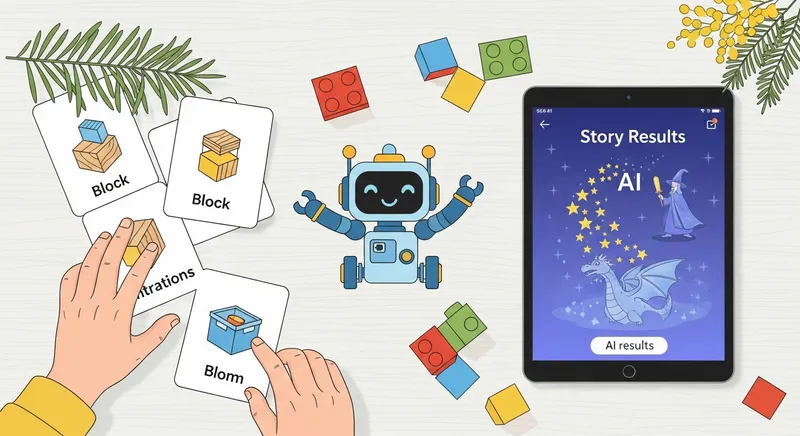
For Ages 3-5: The 'Helpful Robot' Analogy
Think of AI like a helpful but very literal robot. It can do amazing things, but only if you give it good, clear instructions.
- What you can say: "You know how we use a recipe to bake a cake? AI is like a magic recipe book for computers. We give it instructions, and it can help us do things, like find a funny cat video or create a brand new bedtime story about Rosie's Animal Show!. It's not a person, but it's a very smart helper!"
For Ages 6-9: The 'Smart Assistant' Analogy
Older kids can grasp a more nuanced idea. They likely already interact with basic AI through YouTube recommendations or video games.
- What you can say: "AI is like a computer's brain. It can learn from information and make guesses. When YouTube suggests a new video you might like, that's AI guessing based on what you've watched before. When we create a story in Dreamcraft Tale, the AI is a creative partner. We give it the idea, like 'Leo and the Pet Pictures,' and its 'brain' helps write and draw the adventure."
Quick Win: Play the 'Robot Instructions' Game You pretend to be a robot that can only follow simple, one-step commands. Have your child guide you to complete a task, like building a small tower of blocks. This playfully teaches them how computers need precise instructions to work.
Your AU & NZ Advantage: Trusted Local Advice on AI and Online Safety
One of the best things about being a parent in our region is having access to world-class, government-backed resources. You don't have to rely on random advice from overseas.
In Australia: Your go-to source is the eSafety Commissioner. As Australia's online safety regulator, they provide specific advice for parents on generative AI, screen time, and cyber safety. Their research is crucial, showing that many Aussie kids are using social media from a young age, which highlights the need for early conversations about online life.
In New Zealand: Your key partner is Netsafe. This independent, non-profit organization offers an amazing 'Online Safety Parent Toolkit'. It's a seven-step framework designed to help Kiwi families talk openly about online challenges and create a plan that works for them.
"I was so relieved to find the eSafety Commissioner's guides. Finally, advice that actually applies to us here in Australia! It made me feel so much more confident." - Emma, Melbourne Mum
Actionable Tip: Take 10 minutes today to bookmark the eSafety Commissioner's parent page and download the Netsafe Parent Toolkit. They are your local, authoritative guides for any questions that come up.
What is Digital Citizenship for Kids? (The Building Blocks)
'Digital citizenship' sounds formal, but it's just about being a kind, smart, and safe person online. According to the Australian Government's Digital Technologies Hub, it covers everything from safety and privacy to etiquette and recognizing what's real.
For young children, we can simplify this into four 'super skills':
- Be Kind Online: Treat people online just like you would at the park. We use kind words and don't say things that would hurt their feelings. A story like Lily's Happy Voice can be a great starting point for this chat.
- Keep 'Secret' Information Safe: Explain that some things are 'secret' information, like your full name, your age, where you live, or your school's name. We only share those with our family.
- Know What's Real vs. Pretend: The internet is full of wonderful, make-believe things. It's important to know the difference. Just like in a magical story like Luna's Moon Quest, some things are just for fun and aren't real life.
- Leave Happy Footprints: Explain a 'digital footprint' like footprints in the sand. "Everything we do online leaves a little mark. Let's make sure our footprints are happy and kind so the internet stays a nice place for everyone!"
Actionable Tip: Create a 'Family Tech Agreement' for under-5s. It can be as simple as three picture rules stuck to the fridge: 1. We always ask a grown-up before using a device. 2. We play together in a family room. 3. We say goodbye to the screen when the timer beeps.
From Screen Time Rules to Creative Tech Time (Ages 3-5)
Let's talk about the elephant in the room: screen time. If you're worried about it, you're not alone. Australian health authorities, including the Raising Children Network and the Sydney Children's Hospitals Network, recommend no more than one hour of screen time per day for children aged 2-5. Yet, some studies show a majority of Aussie preschoolers exceed this limit.
The secret isn't just less screen time, it's better screen time. The goal is to shift from passive consumption (like watching videos) to active, shared creation.
This is where a tool like Dreamcraft Tale can change the game. Instead of your child zoning out alone, you're on an adventure together. With our simple three-step process (Imagine, Create, Read), you're not just reading a story; you're building it. Your child becomes the hero, which is a powerful way to build confidence. It's a shared activity that turns screen time into bonding time.
Actionable Tip: Next time your child asks for a screen, say, "Great idea! Let's create a story together." Set a 15-minute timer and use Dreamcraft Tale to co-create a personalized adventure. It's quality time that fits within the health guidelines.
Teaching Critical Thinking: A Play-Based Guide to Real vs. Fake Online
One of the most important skills for the digital age is critical thinking. According to experts at Common Sense Media, children under five can't reliably tell the difference between AI and a real person, which is why supervised, creative use is so important. You can build this skill through play, long before they're navigating the internet alone.
- Game: The Silly Picture Test: Find or draw silly pictures. A pig with wings. A car with legs. A fish climbing a tree. Ask your child, "Is this real or pretend? How can you tell?" This simple game builds the foundation for questioning what they see online.
- Game: Story Detective: While reading a story, ask critical questions. "The wolf said he was a friendly sheep. What were the clues that he wasn't telling the truth?" This teaches them to look for evidence beyond what someone says.
When you use a creative AI tool, you're also teaching this lesson. By creating a fantasy story about a girl with a Justine and the Magical Paintbrush, your child learns that they have the power to create 'fake' and wonderful things. This helps them understand that not everything they see online is real, because they've been the one making the magic.
Actionable Tip: Once a week, have a "Real or Pretend?" conversation at the dinner table. Talk about a movie you saw or a book you read and discuss which parts were make-believe and which were real.
Are AI Toys Safe? A Checklist for Aussie & Kiwi Parents
As 'smart' toys with AI features become more common, it's wise to be cautious. Researchers at institutions like Monash University are actively studying how AI interacts with a young child's development, acknowledging that there's still a lot we don't know.
Before you bring an AI-powered toy into your home, use this simple safety checklist:
- Eyes and Ears: Does the toy have a camera or a microphone? If so, where does that data get stored? Is it secure?
- Privacy Policy: Can you easily find and read the privacy policy? If it's full of jargon or hard to find, that's a red flag.
- The Delete Button: Does the company allow you to easily access and delete your child's data?
- Internet Connection: Does the toy need to be connected to the internet to work? If so, can you secure the connection with a strong password?
Actionable Tip: Treat a smart toy like any other app. Before you buy, read reviews specifically mentioning privacy and check the manufacturer's website for a clear, easy-to-understand privacy policy.
Your Adventure in Digital Parenting Starts Now
Navigating this new world of AI with your children might seem daunting, but you are already their most trusted guide. By starting early with simple conversations, play-based learning, and a focus on creativity over consumption, you are giving them the foundational skills they need to thrive.
You don't need to have all the answers. You just need to be present, be curious, and be ready to explore this new world together. Every story you create isn't just screen time; it's a memory, a lesson, and a moment of pure connection that your child will carry forever.
Ready to turn tonight's bedtime into a magical adventure?
Download Dreamcraft Tale and Create Your First Story Together - Free!
Frequently Asked Questions
Is it safe for my 4-year-old to use AI story generator apps?
Safety depends entirely on the app's design. For a 4-year-old, it is only safe if the app is a 'closed system' with strong safety features. Look for apps like Dreamcraft Tale that are specifically designed for this age group and include an ad-free experience, strict content moderation, and no open chat features. Global organizations like UNICEF call for a focus on safety from the very beginning of design. The goal is parent-led co-creation, not solo exploration.
What are some examples of AI my child already uses?
AI is often working behind the scenes. Common examples include: YouTube or Netflix Kids recommending what to watch next; voice assistants like Siri or Alexa answering questions; fun filters on apps that change your face; and the 'smart' opponents in many video games that adapt to how your child plays.
How do I explain a 'digital footprint' to a young child?
Use a simple, physical analogy. Explain it like leaving footprints in the sand at the beach. Every time you do something online- like watch a video or create a story- you leave a little footprint behind. Say, "We want to make sure we leave happy, kind, and safe footprints so the internet is a nice place for everyone to walk."
What are the official screen time recommendations for preschoolers in Australia?
Australian guidelines, supported by sources like the Raising Children Network, recommend no more than 1 hour of screen time per day for children aged 2-5. The advice also stresses making screen time high-quality and interactive, rather than passive viewing, and balancing it with plenty of other activities.
How can I teach my child to tell the difference between real and fake online?
Start with simple, fun, offline games. Play 'Real or Pretend?' with silly pictures (like a cat with wings) to build the basic concept. When reading stories or watching shows, ask questions like, "Do you think a real person could do that?" This builds a habit of critical thinking. When you use creative tools like Dreamcraft Tale to create a story about Pip's Gigantic Climb, it reinforces the idea that technology can be used to make wonderful, pretend things.