
A Parent's Guide to AI for Kids in Australia & NZ: From Safe Use to Creative Projects
Key Takeaways for Busy Parents
- Focus on Creation, Not Just Safety: Shift the conversation from fear to empowerment. The best way for kids to learn about AI is by using it as a creative tool with you.
- Not All AI is Equal: Choose 'sandboxed' AI tools designed for kids. These are closed environments that don't access the open internet, making them the safest choice.
- You Are the Co-Pilot: Your role isn't to be an expert, but to be a guide. Sit with your child, ask questions, and create together. This turns screen time into quality bonding time.
- This Supports School Learning: Creative AI use aligns directly with the Australian and New Zealand school curriculums, which focus on building digital fluency and creator skills.
If you're a parent in Australia or New Zealand, the topic of Artificial Intelligence (AI) probably feels like it's everywhere. It's on the news, it's being talked about at school, and it's popping up in new apps every day. With the school year in full swing, it's the perfect time to establish creative routines that support what your child will learn in the classroom.
And if you're feeling a little lost, anxious, or just plain overwhelmed by it all, you are definitely not alone. It's a new frontier for everyone, especially for parents.
The conversation around kids and AI is often filled with fear-worries about safety, privacy, and what it means for creativity. But what if we could change that? What if, instead of just teaching our kids how to be safe users of technology, we could empower them to be creative creators with it?
This guide is here to do just that. We'll walk you through what AI means for your family in a simple, jargon-free way. We'll tackle the big safety questions head-on with practical advice and show you how to turn AI into a magical tool for connection, creativity, and learning, perfectly aligned with what your child is learning at school.
What is AI, Anyway? A Simple Explanation for Parents (and Curious Kids!)
Before we can guide our kids, it helps to have a simple handle on what we're talking about. You've likely heard of Generative AI tools like ChatGPT. The simplest way to think of them is like a magical box of building blocks.
Imagine you have a box of Lego that knows about everything ever built. You can ask it to build you a "blue castle with a friendly dragon and a slide," and it will instantly assemble it for you. Generative AI is similar. You give it a prompt (your words), and it creates something new-whether that's a story, a picture, or an answer to a question.
💡 Actionable Tip: How to Explain AI to a 5-Year-Old
Next time your child asks, try this simple script:
"You know how we can build anything with our blocks? AI is like a computer helper that has learned about almost everything in the world. We can ask it to help us create a story about a koala who wants to fly to the moon, and it will help us write it! It's our creative helper, and we have to give it good, clear ideas to help it create something amazing."
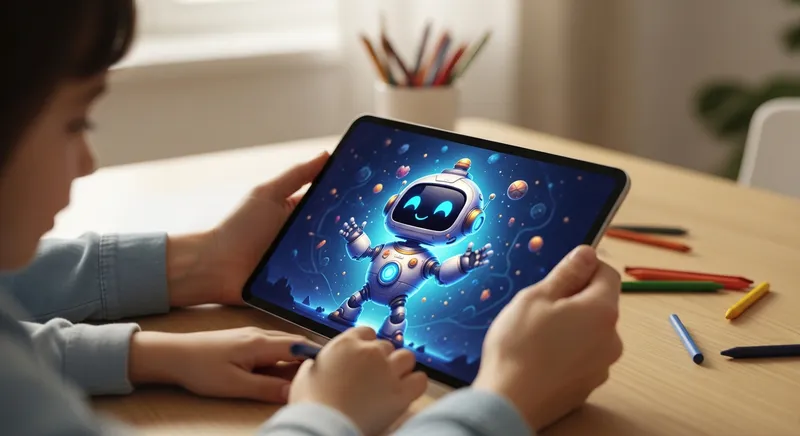
It's also important to know that not all AI is the same. There are open AI tools (like ChatGPT) that can access the wide, unpredictable internet. Then there are curated, "sandboxed" AI tools designed specifically for children. These are like a playroom where all the toys have been pre-approved to be safe, fun, and age-appropriate.
The Big Worries: A Parent's Guide to AI Safety in Australia & NZ
Your concerns about safety are valid and shared by parents everywhere. Let's tackle the biggest worries with practical, reassuring steps you can take.
- Inappropriate Content: The biggest fear is that your child will be exposed to something scary or unsuitable. Open AI tools that browse the internet are not designed for children and carry this risk.
- Data Privacy: Who is collecting my child's information? What are they doing with it? This is a critical question in the digital age.
- Impact on Creativity: Will using AI make my child a lazy thinker? Will they stop using their own imagination?
Australia's own eSafety Commissioner provides clear advice for parents navigating generative AI. Their core message is not to ban it, but to be involved. They recommend that you use AI tools together with your child, check the terms of use, and talk openly about the fact that AI isn't always accurate.
Global organisations agree. UNICEF's policy guidance on AI for children stresses that platforms must be designed to protect children's privacy, ensure their safety, and ultimately empower them.
💡 Actionable Tip: The 2-Minute Safety Check
Before letting your child use any new AI app, take two minutes to do this:
- ✅ Look for an Ad-Free Promise: The safest apps for kids usually run on a subscription model, not ads. This means they have no incentive to track and sell your data.
- ✅ Read the Privacy Policy: Search for keywords like "sell," "third parties," and "advertising." A good policy for a children's app will be clear that your data is not sold.
- ✅ Check for "Safety by Design": Does the company talk about how they keep kids safe? Look for mentions of content filters, human moderation, and a closed or "sandboxed" environment. This is a key principle in building safer online experiences.
Beyond Screen Time: Why 'AI Creation' is the Future of Learning
For years, the conversation around kids and technology has been dominated by "screen time" limits. But this misses a crucial point: not all screen time is equal. Passively watching videos is fundamentally different from actively creating, problem-solving, and collaborating.
This is where we shift our thinking from fear to empowerment. The best way for your child to understand the power, limits, and ethics of AI is to use it as a creative tool. When you and your child work together on an AI project, you're not just having fun-you're building essential future skills.
This approach is directly supported by educational frameworks across Australia and New Zealand. They are moving beyond simple "digital citizenship" (being a good user) and towards "digital fluency" (being a confident creator). As a parent, you can lead this charge at home.
💡 Actionable Tip: Reframe the Activity
Instead of saying, "Okay, you can have 30 minutes of screen time," try reframing it as a collaborative project. Say, "Let's spend some time creating a new story together!" or "I have an idea for a silly character. Can you help me describe it to our story creator?"
What the Australian & NZ Curriculums Say About Technology
This focus on creation isn't just a nice idea-it's at the heart of our national education goals. By guiding your child in creative AI projects, you are directly supporting what they will be learning in the classroom.
In Australia: The Australian Curriculum (ACARA) for Digital Technologies explicitly states that its goal is for students to become "responsible and ethical designers and users of AI systems." Even for the youngest learners, the Early Years Learning Framework (EYLF) highlights that digital technologies can be powerful tools for children to "investigate, create and communicate."
In New Zealand: The Ministry of Education's online portal, Te Kete Ipurangi (TKI), encourages educators to prepare students to be "informed and critical users - and creators - of AI tools."
The message from educators is clear: our children need to learn how to actively and creatively use these tools, not just be passive consumers of them.
Your Child's First AI: A Guide to Safe, Creative Projects (Ages 3-9)
So, how do you actually do this? You become your child's "AI co-pilot." As researchers from The Conversation suggest, your role is to sit alongside them, guiding them to ask better questions and think about the results. A safe, sandboxed story generator is the perfect place to start.
Once you've found a great tool, here are a few simple, non-coding projects you can do together.
Project Idea 1: The Mixed-Up Animal Show!
- The Goal: To learn about descriptive words and have a good laugh.
- How to do it: Ask your child to imagine the silliest animal possible. A pig with butterfly wings? A lion that meows? A dog with eight legs? Use these descriptions as your prompt. For example, type: "A story about a friendly pig named Percy who has sparkly butterfly wings and wants to enter an animal show."
- Why it works: This teaches your child how specific words (prompts) change the creative output. For inspiration, you could even see how a story like Rosie's Animal Show! explores a similar theme.
Project Idea 2: The Feeling Story
- The Goal: To explore emotions and build empathy in a safe way.
- How to do it: Talk to your child about a feeling. Maybe they felt shy at a party or super happy when they learned to ride their bike. Use that feeling to create a character. For example, type: "Write a story about a little moonbeam who feels too shy to shine brightly at night."
- Why it works: This helps children externalize and understand complex emotions. A story like Raquel and the Shy Moonbeam can show them they're not alone in their feelings.
Project Idea 3: The Everyday Adventure
- The Goal: To see the magic and adventure in everyday life.
- How to do it: Take a simple, everyday event and turn it into an epic quest. Did they lose a sock? Prompt a story about "The Quest for the Missing Sock." Are they climbing to the top of the playground slide? That's the perfect inspiration for a story like Pip's Gigantic Climb.
- Why it works: This sparks imagination and shows that amazing stories are all around us, whether it's a grand Luna's Moon Quest or a small backyard discovery.
Introducing Dreamcraft Tale: Your Family's Safe AI Story Studio
Remember that magical feeling when your child's face lights up during story time? Dreamcraft Tale brings that wonder to every bedtime by transforming your child's wildest ideas into beautifully illustrated stories where they become the hero.
As parents ourselves, we wanted to create the perfect "first AI" for our own children-and for yours. Creating your first story is beautifully simple:
- Imagine your child's adventure together.
- Create it with a simple description.
- Read your unique, illustrated storybook in minutes.
Dreamcraft Tale is a safe, sandboxed story studio in your pocket. It was designed from the ground up to address the core worries of parents. There are no ads, your data is never sold, and our multiple layers of content filtering ensure every story is wholesome and age-appropriate.
Unlike traditional storybooks that tell the same story every time, Dreamcraft Tale creates unlimited unique adventures personalized to your child's imagination. It's more engaging than passive screen time and more varied than any printed library. Plus, its mobile-first design and offline reading feature make it perfect for car rides or flights. Too tired to create tonight? Browse thousands of magical stories in our shared Story Library for instant inspiration.
The Next Chapter: Raising Creative, Confident Kids
Guiding our children in this new AI-powered world doesn't have to be scary. By shifting our focus from restriction to guided creation, we can give them a huge head start. We can teach them to be the masters of these new tools, not just passive users.
Every story you create together is more than just a story. It's a conversation. It's a memory. It's a small step in building a creative, confident, and digitally fluent child who is ready for the world of tomorrow.
Ready to Start Your Adventure?
Discover how you can create your first personalized, illustrated story together in minutes with Dreamcraft Tale.
Still have questions? Here are answers to what parents ask us most.
Frequently Asked Questions
Is AI safe for my 5-year-old?
That's a great question, and the answer is: it depends entirely on the tool. We would never recommend letting a young child use an open AI platform (like ChatGPT) that can browse the internet. The risks of them seeing inappropriate content are too high. However, a 'sandboxed' AI tool that is designed specifically for children is a very different story. These platforms are closed environments, meaning they can't access the wider internet. They are built with strict content filters and are trained only on age-appropriate data. As Australia's eSafety Commissioner advises, the safest approach is to choose the right tools and use them together with your child.
Will using AI for stories make my child less creative?
This is one of the biggest and most valid concerns parents have. It's natural to worry that an AI will do the creative work for your child. But we encourage you to think of it differently: a good AI tool acts as a creative partner, not a replacement. It's a launchpad for their imagination. Your child still provides the core idea-the silly character, the magical world, the problem to solve. The AI helps them build on that idea, overcome creative blocks, and see their vision come to life. It shows them the power of their own imagination.
What is a 'sandboxed' AI tool?
Think of a 'sandbox' in the real world-it's a safe, contained space to play. A sandboxed AI tool works on the same principle. It's a closed digital playground. This means it is completely disconnected from the open internet. The AI has been trained only on a carefully curated, pre-approved set of data that is guaranteed to be child-friendly. This is the single most important safety feature for any children's AI product, as it prevents any unexpected, inappropriate, or harmful content from ever reaching your child.
How do I talk to my child about AI making mistakes or being biased?
This is a fantastic learning opportunity that teaches critical thinking from a young age. When an AI generates something that's factually wrong or just plain silly, don't see it as a failure. See it as a teaching moment. You can turn it into a fun game by saying something like, "Oops! The computer helper got a bit mixed up there. That's not quite right, is it? Let's try telling it our idea in a different way to help it understand." This simple act teaches them that technology isn't perfect, that it's made by people, and that they should always question the information they see.
What's the difference between this and just watching a video?
This is a crucial distinction. The difference is active creation versus passive consumption. Watching a video is a one-way experience where your child is a passive recipient of information. It requires very little engagement. Co-creating a story with an AI tool is a two-way, highly interactive process. Your child is actively involved in thinking, describing, problem-solving, and making creative decisions. It's an activity that builds essential skills in literacy, communication, and creative confidence, turning screen time into productive, educational family time.